
Reviewed and updated: October 21, 2026
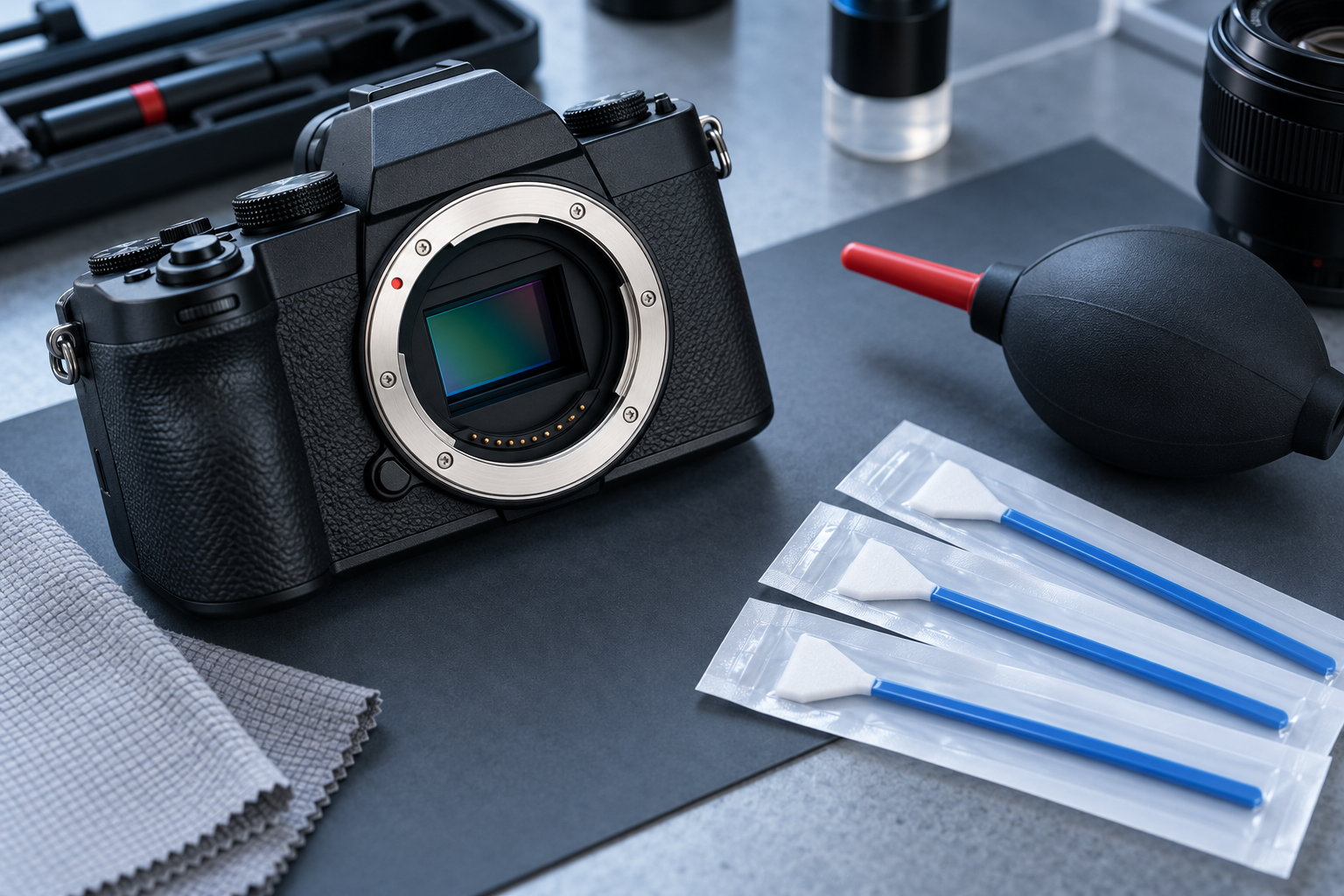
Sensor dust can appear as repeated dark marks, especially at small apertures. A careful diagnosis and the camera maker’s cleaning procedure should come before any tool touches the camera.
This guide was reviewed against current official product information where a model is discussed. Specifications and packages can change, so verify the exact label or manufacturer page before acting.
Confirm the mark is really sensor dust
Photograph a plain bright surface at a small aperture, defocus the lens, and inspect the same area across several frames. A spot that stays fixed may be on the sensor or cover glass; a mark that moves with a lens may be on that lens. Check the rear lens element and viewfinder separately before opening the camera.
Read the exact camera manual
Sensor construction, stabilization systems, shutters, and cleaning modes differ. Find the current manual for the exact body and follow its order. Some cameras close the shutter when powered off, while others expose the sensor. Never force a shutter open or rely on a generic video that uses a different model.
Prepare a controlled workspace
Charge the battery fully or use the specified power source so the camera cannot shut down during cleaning. Work on a stable table in a calm, low-dust room with clean dry hands. Remove fans, open drinks, pets, and loose fibers. Arrange the cap, blower, and supplies before removing the lens.
Use the built-in cleaning cycle first
Run the camera’s automatic sensor-cleaning function as directed, then power down and retest. Hold the body in the orientation the manual recommends. This low-contact step may move loose particles and avoids introducing a tool. Repeat only as permitted rather than cycling it endlessly when a spot remains.
Use a manual air blower carefully
If the manufacturer allows it, hold the lens mount facing downward and use a clean manual bulb blower without letting the tip enter deeply or touch internal parts. Never use canned air, shop air, breath, or a blower with powder or lubricant. Keep the body steady and replace the cap promptly.
Know when not to wet-clean
Wet cleaning requires the correct sensor-size swab and approved fluid, applied with precise technique. Too much fluid, a reused swab, or pressure can leave streaks or cause damage. If the mark is sticky, the camera is under warranty, or you are uncertain about the shutter and stabilization mechanism, use authorized professional service.
Retest without chasing perfection
Mount a clean lens, repeat the plain-surface test, and compare at normal viewing sizes. A microscopic mark visible only under extreme editing may not justify repeated contact. Stop if the sensor looks scratched, the shutter behaves abnormally, fluid spreads, or new marks appear after each pass. More cleaning can make a small issue larger.
Prevent avoidable dust later
Turn the camera off before lens changes when the manual says to, point the mount away from wind and debris, prepare the replacement lens first, and keep rear caps clean. Change lenses inside a bag or sheltered area during dusty travel. Prevention reduces cleaning frequency but does not require avoiding lens changes altogether.
Quick checklist
- Verify the spot across test frames.
- Read the exact body manual.
- Start with automatic cleaning.
- Use only a clean manual blower if allowed.
- Do not improvise wet cleaning.
- Use professional service when uncertain.
Why these checkpoints matter
- Verify the spot across test frames. This defines the starting condition and prevents the rest of the process from resting on an assumption.
- Read the exact body manual. This narrows the choice to evidence you can verify on the exact label, model, or scene.
- Start with automatic cleaning. This checkpoint reduces avoidable risk before another variable is introduced.
- Use only a clean manual blower if allowed. This keeps the routine compatible with the person, product, material, or equipment involved.
- Do not improvise wet cleaning. This creates a repeatable step instead of relying on memory or marketing language.
- Use professional service when uncertain. This final review catches changes in condition, availability, or instructions before the next use.
Common questions
Can I use canned air on a sensor?
No. Propellant, pressure, and residue can damage delicate internal parts.
Should I clean the sensor after every trip?
Clean only when testing shows a meaningful issue; repeated contact adds risk.
Can dust behind a lens look like sensor dust?
Lens dust usually behaves differently, so compare lenses and fixed spot location before concluding the sensor is dirty.
Keep the decision useful
Write down the exact model, label, starting condition, and result. Change one variable at a time and return to the official instructions when anything is unclear. A short record makes the next decision easier and keeps an isolated result from becoming a rule that does not fit a different product, person, material, or environment.
Review the information again before repeating the process. Stop when comfort, safety, condition, or the manufacturer’s instructions provide a reason to stop. A useful routine stays simple because every step answers a real question.
For the next attempt, note what improved, what remained uncertain, and what should stay unchanged. This final check reduces guesswork and helps small problems become visible before they turn into repeated mistakes.
Keep the original instructions, model information, and observations together. Before repeating the process, confirm that the product, setting, environment, and intended result are still the same.
Use the result as one observation rather than a promise. Conditions change, and the safest next step is the one supported by the current label, manual, evidence, and the limits you can verify.
Use the result as one observation rather than a promise. Conditions change, and the safest next step is the one supported by the current label, manual, evidence, and the limits you can verify.
Use the result as one observation rather than a promise. Conditions change, and the safest next step is the one supported by the current label, manual, evidence, and the limits you can verify.
Use the result as one observation rather than a promise. Conditions change, and the safest next step is the one supported by the current label, manual, evidence, and the limits you can verify.
Use the result as one observation rather than a promise. Conditions change, and the safest next step is the one supported by the current label, manual, evidence, and the limits you can verify.
Use the result as one observation rather than a promise. Conditions change, and the safest next step is the one supported by the current label, manual, evidence, and the limits you can verify.
Use the result as one observation rather than a promise. Conditions change, and the safest next step is the one supported by the current label, manual, evidence, and the limits you can verify.