
Reviewed and updated: October 23, 2026
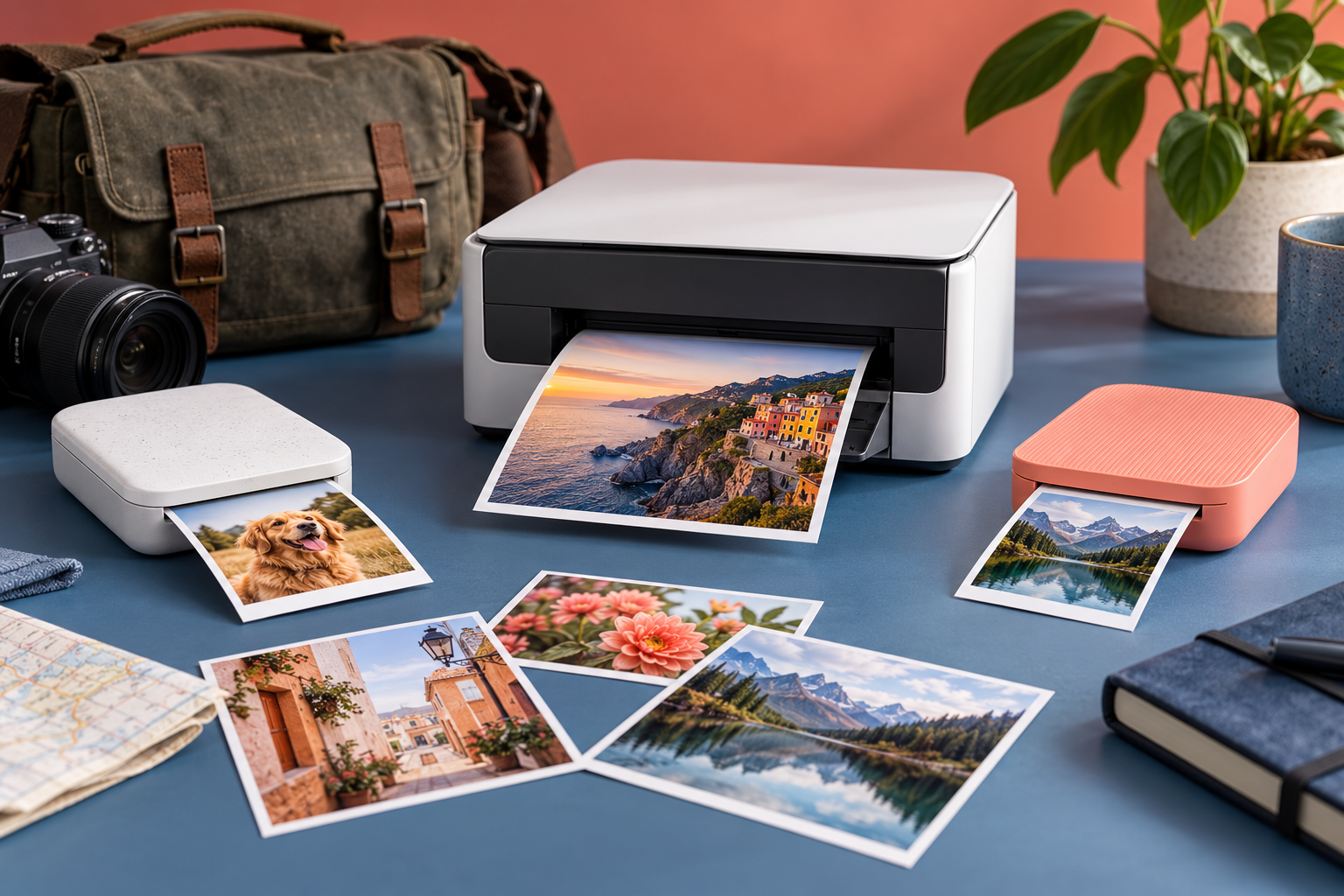
Compact photo printers use different media, sizes, apps, and workflows. Choose by the prints you will actually make, then account for consumables, connection method, portability, and long-term compatibility.
This guide was reviewed against current official product information where a model is discussed. Specifications and packages can change, so verify the exact label or manufacturer page before acting.
Choose the print experience first
The Canon SELPHY CP1500 is a compact dye-sublimation printer for postcard and smaller formats, while the Fujifilm instax mini Link 3 produces the familiar small instant-film format from a phone. Pocket-size zinc-style printers offer another workflow. Print size, look, and sharing experience should lead the choice. Make the decision from the real routine rather than a feature list. Check the current instructions, practice the step in a controlled setting, and change one variable at a time. That approach makes results easier to judge and helps prevent an attractive shortcut from becoming a repeated mistake.
Consider Canon SELPHY CP1500
Canon positions the CP1500 as a compact photo printer using matched paper and ink cassettes. It can print from compatible devices and memory cards, with an optional battery sold separately. It suits families and photographers who want conventional rectangular prints and are willing to carry a larger printer and dedicated consumables. A useful comparison separates what can be verified from what is merely advertised. Record the model, material, setting, or method you actually used, then review the result before repeating it. Small notes are more dependable than memory when conditions change from one session to the next.
Consider Fujifilm instax mini Link 3
The mini Link 3 uses instax mini film and a smartphone app. Fujifilm lists Bluetooth connectivity, USB-C charging, and approximately fifteen-second print exposure before film development. It is built around small shareable prints and app effects rather than color-managed desktop output or printing directly from every camera. Keep the process simple enough to repeat. Prepare the workspace first, follow the relevant maker or safety directions, and stop when something looks, smells, sounds, or feels wrong. A careful routine usually produces a better result than adding more steps without a clear purpose.
Compare a pocket phone printer
A pocket printer can be easier to carry, but smaller adhesive-backed or specialty media changes the look and cost. Verify the exact current model, supported phone operating systems, charging connector, and paper type. Do not assume an older review describes the current app or that one brand’s media fits another printer. Make the decision from the real routine rather than a feature list. Check the current instructions, practice the step in a controlled setting, and change one variable at a time. That approach makes results easier to judge and helps prevent an attractive shortcut from becoming a repeated mistake.
Calculate consumables before buying
Printers are recurring-media systems. Compare the actual print dimensions, sheets per pack, ink or film pairing, and storage requirements. A low printer price can be offset by media the family rarely stocks. Buy enough for the intended project, but avoid excessive film that may expire or suffer from heat and humidity. A useful comparison separates what can be verified from what is merely advertised. Record the model, material, setting, or method you actually used, then review the result before repeating it. Small notes are more dependable than memory when conditions change from one session to the next.
Check the connection workflow
List the source devices: camera card, computer, iPhone, Android phone, or a specific camera. Confirm each path in the current manual. Some features require an app and account permissions. Test a small transfer and print before travel, and keep firmware and apps controlled by an adult or designated household manager. Keep the process simple enough to repeat. Prepare the workspace first, follow the relevant maker or safety directions, and stop when something looks, smells, sounds, or feels wrong. A careful routine usually produces a better result than adding more steps without a clear purpose.
Plan for color and expectations
Small consumer printers prioritize convenience and a particular look. Screen brightness, editing filters, paper surface, and print technology affect color. Use a neutral test image with skin tones, shadows, and saturated color. Avoid promising archival life beyond the manufacturer’s tested storage conditions. Make the decision from the real routine rather than a feature list. Check the current instructions, practice the step in a controlled setting, and change one variable at a time. That approach makes results easier to judge and helps prevent an attractive shortcut from becoming a repeated mistake.
Pack and store it correctly
Carry the printer in a fitted case with media protected from heat, crushing, and moisture. Do not leave it in a hot vehicle. Keep vents clear, use the specified power adapter or cable, and remove jammed media only as directed. Allow a cold printer to acclimate before opening media in a humid room. A useful comparison separates what can be verified from what is merely advertised. Record the model, material, setting, or method you actually used, then review the result before repeating it. Small notes are more dependable than memory when conditions change from one session to the next.
Choose by output, not novelty
Choose the CP1500 for larger conventional prints and broader source options, the mini Link 3 for small instant-style phone prints, or a current pocket model when extreme portability matters most. Verify the exact model officially, then use the paid Amazon searches below. Prices and Amazon availability are not stated. Keep the process simple enough to repeat. Prepare the workspace first, follow the relevant maker or safety directions, and stop when something looks, smells, sounds, or feels wrong. A careful routine usually produces a better result than adding more steps without a clear purpose.
Quick checklist
- Choose the print size and look.
- Confirm phone, card, or computer support.
- Calculate media cost and availability.
- Verify app and OS compatibility.
- Protect media from heat and moisture.
- Test the workflow before travel.
Why these checkpoints matter
- Choose the print size and look. This defines the starting condition and prevents the rest of the process from resting on an assumption.
- Confirm phone, card, or computer support. This narrows the choice to evidence you can verify on the exact label, model, or scene.
- Calculate media cost and availability. This checkpoint reduces avoidable risk before another variable is introduced.
- Verify app and OS compatibility. This keeps the routine compatible with the person, product, material, or equipment involved.
- Protect media from heat and moisture. This creates a repeatable step instead of relying on memory or marketing language.
- Test the workflow before travel. This final review catches changes in condition, availability, or instructions before the next use.
Common questions
Can these printers replace a desktop photo printer?
They prioritize convenience and small formats; large prints and controlled color may require a different printer.
Does the mini Link 3 print directly from every camera?
No. Confirm current compatibility and the supported app or camera workflow before buying.
Does the CP1500 include a battery?
Canon describes an optional battery; verify current package contents for the exact listing.
Official product references
- Canon SELPHY CP1500 announcement
- Canon CP1500 support information
- Fujifilm instax mini Link 3 specifications
Compare current Amazon listings
Confirm the exact product, model or size, package contents, seller, current price, and availability.
Check current Amazon listings (paid link)(paid link)
Confirm the exact product, model or size, package contents, seller, current price, and availability.
Check current Amazon listings (paid link)(paid link)
Confirm the exact product, model or size, package contents, seller, current price, and availability.
Check current Amazon listings (paid link)(paid link)