
Reviewed and updated: October 30, 2026
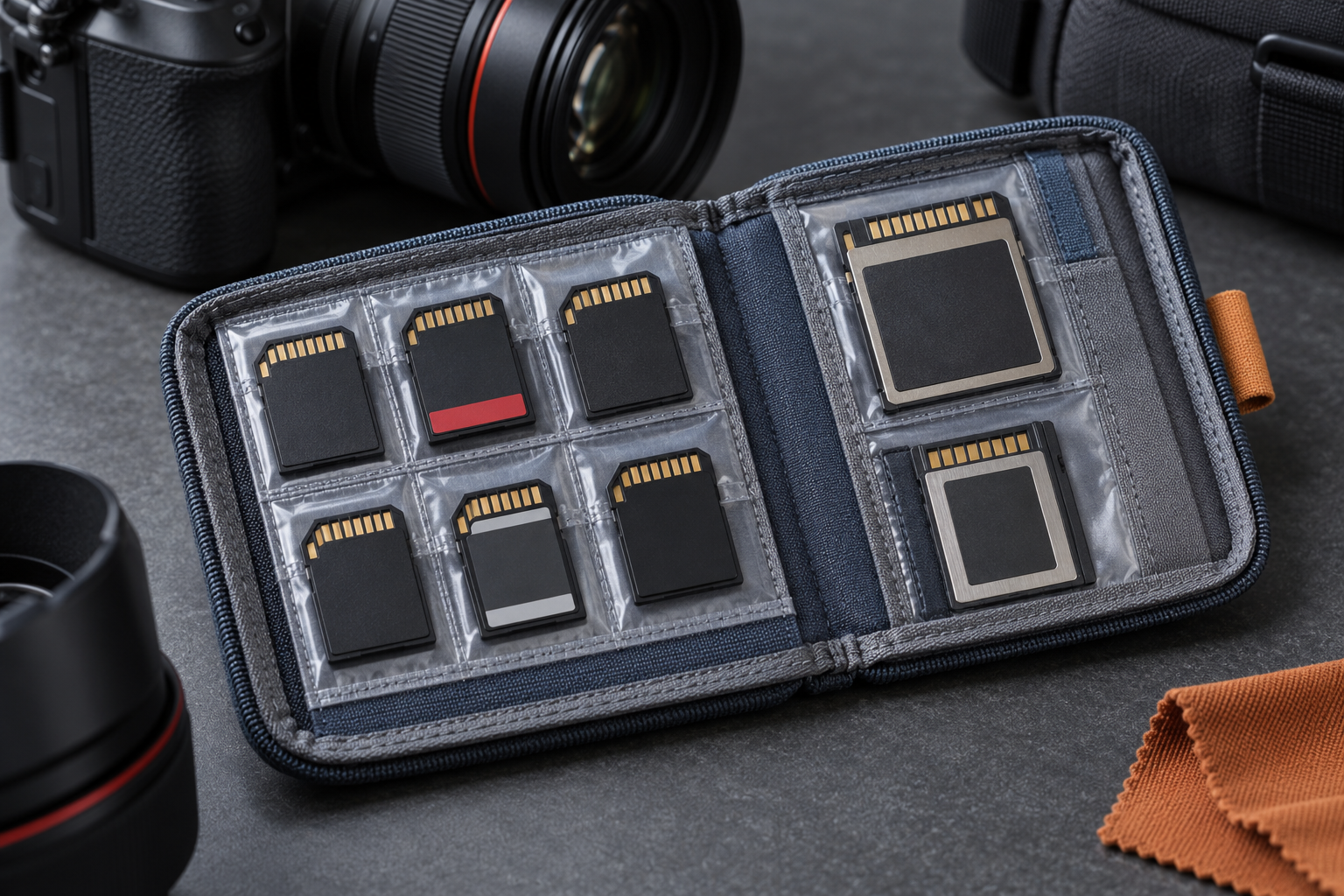
A memory-card wallet is useful when it makes the next card easy to find and the used cards easy to recognize. Capacity alone does not guarantee that. The Think Tank SD Pixel Pocket Rocket V2 and Secure Pixel Pocket Rocket V2 represent two related approaches: a compact wallet for smaller card formats and a larger option with zippered pockets for a mixed kit. Choosing between them begins with the actual cards in your bag.
This is a specification-based comparison rather than a hands-on durability test. Neither a fabric wallet nor a tidy organization system replaces a verified backup. Use the wallet to reduce handling mistakes and keep cards contained, then protect the wallet appropriately within the rest of the camera bag.
Compare the options
Think Tank SD Pixel Pocket Rocket V2 740222
The smaller wallet is specified for nine SD or CFexpress Type A cards, with clear slots and a removable security lanyard. Check your card format before choosing.
Check this model on Amazon: Think Tank SD Pixel Pocket Rocket V2 740222 (paid link)
Think Tank Secure Pixel Pocket Rocket V2 740224
Zippered compartments support a broader mix of card formats in a larger folding wallet. Compare the stated capacity for your particular card type.
Check this model on Amazon: Think Tank Secure Pixel Pocket Rocket V2 740224 (paid link)
Inventory the card formats first
Lay out empty protective cases or write down the card types without exposing cards to dust unnecessarily. SD, microSD, CFexpress Type A, CFexpress Type B, and older formats are physically different. Similar names do not make them interchangeable. Count the cards you genuinely carry for one outing, including the card that normally remains in the camera. If microSD cards travel in adapters, decide whether the adapter is the unit you want to organize. Do not buy a wallet on the assumption that a broad phrase such as 'camera memory cards' covers every format. A clearly labeled slot that fits the card correctly is more useful than spare capacity you cannot use.
Compare the SD Pixel Pocket Rocket V2
Think Tank identifies the SD Pixel Pocket Rocket V2 as SKU 740222 and specifies room for nine SD or CFexpress Type A cards. The folding design has individual clear slots, a removable security lanyard, and a belt attachment. Its listed folded dimensions are approximately 4.75 by 2.62 by 1 inch. This is the more focused choice for a kit using those smaller formats. It is not the right default for CFexpress Type B simply because both names include CFexpress. Check the exact V2 name and slot compatibility before selecting a listing. Older photos or similarly named versions can make an otherwise straightforward comparison confusing.
Compare the Secure Pixel Pocket Rocket V2
The Secure Pixel Pocket Rocket V2, SKU 740224, adds zippered pockets and is intended for a broader mix of card sizes. Think Tank lists capacity for six CFast or CFexpress Type B cards, twelve SD or CFexpress Type A cards, or multiple microSD cards. The folded size is approximately 5.25 by 2.75 by 1 inch. Those configurations are alternatives, not a promise that every listed quantity fits simultaneously. The larger format may suit a mixed camera system, while the extra pocket closures add another handling step. Compare that tradeoff with the smaller wallet rather than assuming the word 'Secure' means the same fit and workflow.
Treat weather resistance realistically
Both product descriptions refer to weather-treated fabric. That is not a reason to treat a fabric wallet as a submersible hard case. Keep it inside suitable protection when rain, spray, sand, or snow can reach the bag. Avoid handling exposed cards with wet or dirty hands. If the wallet becomes damp, protect the cards and let the material dry appropriately before closing it away. Do not place a wet wallet next to a camera body and assume the bag will dry itself. The guide to camera condensation explains why moving cold, damp equipment into a warmer space needs its own care routine.
Build an unmistakable empty-versus-used system
Choose one orientation for ready cards and another for used cards, or use clearly separated pockets if the layout supports that. Explain the system to anyone who shares the kit. A card's position is a reminder, not proof that its files have been backed up. Before formatting, verify the files and the backup destination using your normal process. Avoid removing cards in a hurry beside a car park, crowded path, or open drain. Prepare the next card in a stable place and close the wallet before moving. A consistent handling sequence reduces the chance of mixing a full card with a card you intended to erase.
Check closures and attachments with the real load
Place the intended card formats in their appropriate slots and close the wallet without forcing it. Bulging pockets or strain at a fold suggest the load is wrong. Check that a lanyard attachment cannot interfere with a camera strap, tripod control, or bag zipper. Use belt attachments only as intended and consider whether the wallet could catch on something when you kneel or turn. Keep the wallet away from loose keys and abrasive objects. For the zippered model, open and close the pockets deliberately so a tiny card cannot drop while the wallet is inverted. More closures help only when the user actually fastens them.
Put the wallet where retrieval is predictable
Choose one dedicated bag compartment and return the wallet there after every card change. A bright or distinct exterior is useful only if it stays in a known place. Avoid a deep pocket shared with batteries, cables, and snacks. Keep cards separate from leaking liquids and from dirty cleaning tools. If two people carry similar wallets, add a non-damaging owner label in the designated area instead of marking contacts or card surfaces. At the end of a shoot, count the cards against the starting inventory before leaving the location. A short count can reveal a missing card while there is still a realistic chance of finding it.
Connect the wallet to a backup routine
At the computer, move cards through a deliberate sequence: identify, import, verify, back up, and only then mark them ready for reuse. Do not reverse a card's orientation simply because the import progress bar ended. Open representative files and confirm the destination and backup according to the importance of the work. Keep the original card untouched until you are satisfied with the copies. Use a reader that supports the exact card type; our USB-C reader guide explains the compatibility questions. Organization in the field and verification at the computer solve different parts of the same problem.
Choose based on the kit you carry today
The SD wallet makes sense when its stated formats cover your equipment and you value a smaller, straightforward layout. The Secure version is worth comparing when larger cards or zippered compartments answer a real need. Leave room for a modest change in the kit, but do not buy for an imagined collection of future cameras. Confirm the exact model name, current slot specification, dimensions, and package contents in the listing. Neither product should be selected solely from a thumbnail. A slightly larger wallet can be helpful, but an unnecessarily bulky wallet may get left at home, which defeats the purpose of the purchase.
Inspect, clean, and retire thoughtfully
Check pockets, seams, clear windows, and closures periodically. Remove loose debris carefully and follow the maker's care guidance; avoid soaking a loaded wallet or using aggressive solvents near cards. Keep it fully dry before storage. Replace a wallet that no longer holds cards reliably, has a failing closure, or is contaminated in a way you cannot clean safely. The best result is mundane: the right card is easy to find, the used card stays contained, and every card reaches the verified backup workflow. Choose the model that makes those habits easiest for your own camera system and working conditions.