
Reviewed and updated: November 15, 2026
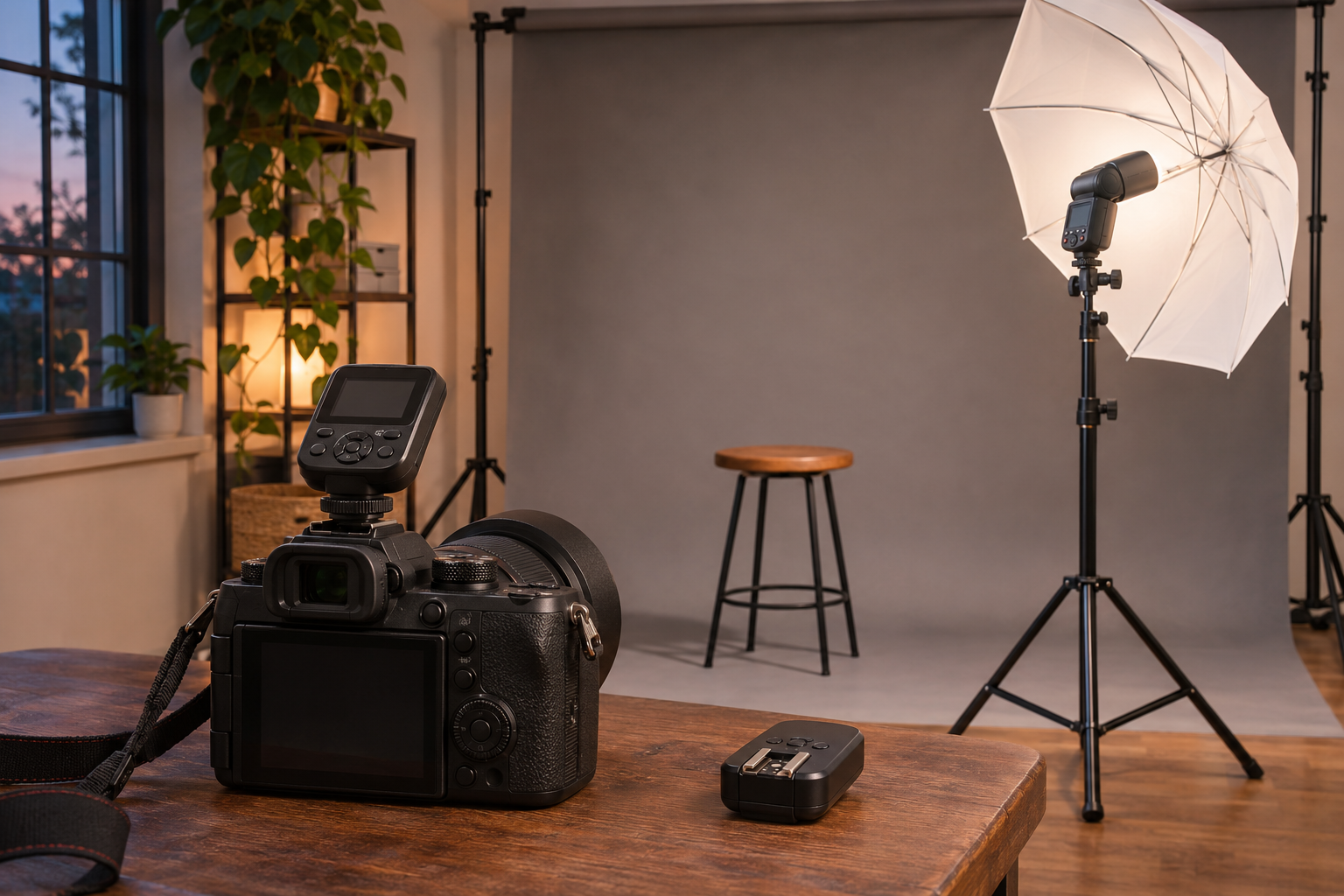
Godox’s X3 N is the trigger we recommend for a small Nikon kit when you want off-camera flash without a large controller sitting above the viewfinder. Its compact touchscreen and built-in rechargeable battery make it an appealing companion for a camera you carry between portrait locations. The XPro II-N suits a different preference: a larger control panel, dedicated group buttons and replaceable AA batteries that you can swap during a session.
Both belong to the Godox wireless X system and offer much more than a simple signal to fire a flash. Your choice is mainly about the controls and power arrangement you want to live with. Neither makes the other obsolete, and neither is a flash itself: you still need compatible lighting away from the camera.
A small trigger leaves more room for the camera
The X3’s compact shape is its clearest attraction. At around 48g, it adds little weight to the top of the camera and is easy to consider for a bag that also serves everyday photography. You can leave room for a compact lens and one speedlight rather than treating every portrait outing as a full studio move.
The OLED touchscreen lets you select and adjust settings by touch, with side controls available as well. It is a natural fit when you enjoy a small, screen-led interface. There is also a screen lock to help prevent accidental touches. The compromise is the small working area: a compact display is not automatically your preferred place to manage several lights.
The XPro II gives those controls more physical space. Its larger, angled LCD and separate group buttons are appealing when you regularly move between a main light, a fill and a background light. You have more hardware to look at and reach for, at the cost of a bulkier object above the camera.
Godox X3 N
Our pick for a compact Nikon flash kit when you prefer a touchscreen and convenient USB charging.
Find in Amazon (paid link)
Godox XPro II-N
Choose it for direct group buttons, phone control and replaceable batteries during longer portrait sessions.
Find in Amazon (paid link)
Choose the controls you want to reach for
For a single light, the X3’s small size is easy to appreciate. You might adjust flash output, take a photograph and spend most of the session thinking about your subject. A large bank of controls has less value when the lighting arrangement barely changes. This is where the little trigger’s simplicity of form can be more appealing than a bigger panel.
Several lights make the XPro II’s dedicated group buttons more persuasive. Assigning separate jobs to the lights gives you a reason to return to individual groups repeatedly. A physical button for the group you want can fit that rhythm well. Familiar controls are a good reason to favour it, even though you may find the X3’s touch interface equally comfortable.
The XPro II also offers Bluetooth control through the Godox Flash app. That is useful if you want to adjust lighting from a phone while working near the subject or a set. It is an optional way to control the setup, not a requirement for ordinary camera-triggered flash. Consider it a practical extra when phone control already fits the way you work.
Rechargeable convenience or an immediate battery swap?
The X3 has a built-in lithium battery and USB-C charging. That suits a kit you recharge before going out, especially if your camera accessories already have a place beside a USB charger. You avoid keeping a separate pair of AA cells ready for the trigger. The tradeoff is that a depleted internal battery asks for charging time rather than a quick replacement from your bag.
The XPro II takes two AA batteries. Carrying a spare pair gives you a straightforward way to continue when the first pair runs low, which can be reassuring for a long portrait session. Rechargeable AAs can fit this approach too, but the trigger’s USB connection is not an in-body AA charger. Plan charging around the batteries and their appropriate charger.
These are two different kinds of convenience. A built-in battery reduces the loose items you manage; replaceable cells make it easier to recover immediately from forgetting to prepare. The battery arrangement in your flash is a separate decision. Our Nikon-fit Godox flash comparison explains that choice for two compatible speedlight options.
Both give you automatic and manual lighting choices
With compatible Nikon equipment, both triggers support i-TTL automatic flash, manual flash and high-speed sync. TTL is useful when your subject’s position or the situation keeps changing because the camera and flash system work out an automatic exposure. Manual power is appealing for a settled setup where you want the light to remain consistent as you compose.
Both also offer TCM conversion, which lets you use a TTL result as the starting point for a manual setting. That can make the move from an initial exposure to deliberate refinement feel less like starting again. It does not remove the creative decision about where to place the light or how strongly it should shape the face.
High-speed sync is another shared tool, rather than a reason to prefer one controller. It can help you use a shutter speed above the camera’s normal flash-sync limit with compatible equipment. The available settings depend on the camera and flash, and the flash’s useful reach changes in high-speed sync. A smaller trigger does not turn a modest flash into a more powerful light.
The Nikon version and your lights must belong together
Choose the N version for a compatible Nikon camera: X3 N or XPro II-N. The camera-side version matters for dedicated TTL communication, even when the radio system can control several kinds of Godox lights. A transmitter for another camera brand is not a substitute simply because its mounting foot looks familiar.
Your off-camera flash must also support the appropriate Godox X radio connection, either through a built-in receiver or a suitable separate receiver. A flash having a wireless mode does not, by itself, establish that it uses this radio system. Older optical slave modes and unrelated radio systems are different arrangements. This distinction matters more than whether you prefer a touchscreen or buttons.
Body-specific compatibility and firmware matter too. Treat support for a particular camera, flash and feature as a complete combination, especially when using newer equipment. The newer X3 Pro is a separate model from the small X3 discussed here; its additional features do not belong on the X3’s side of this comparison.
Which trigger would we add?
The X3 N is our pick for a compact Nikon portrait kit with one or a few compatible lights and a preference for USB charging. The XPro II-N earns its larger footprint when direct group buttons, phone control and replaceable AAs make your sessions easier to manage. Buy the interface you want to use while making photographs; both leave the meaningful work of shaping the light in your hands.