
Reviewed and updated: November 7, 2026
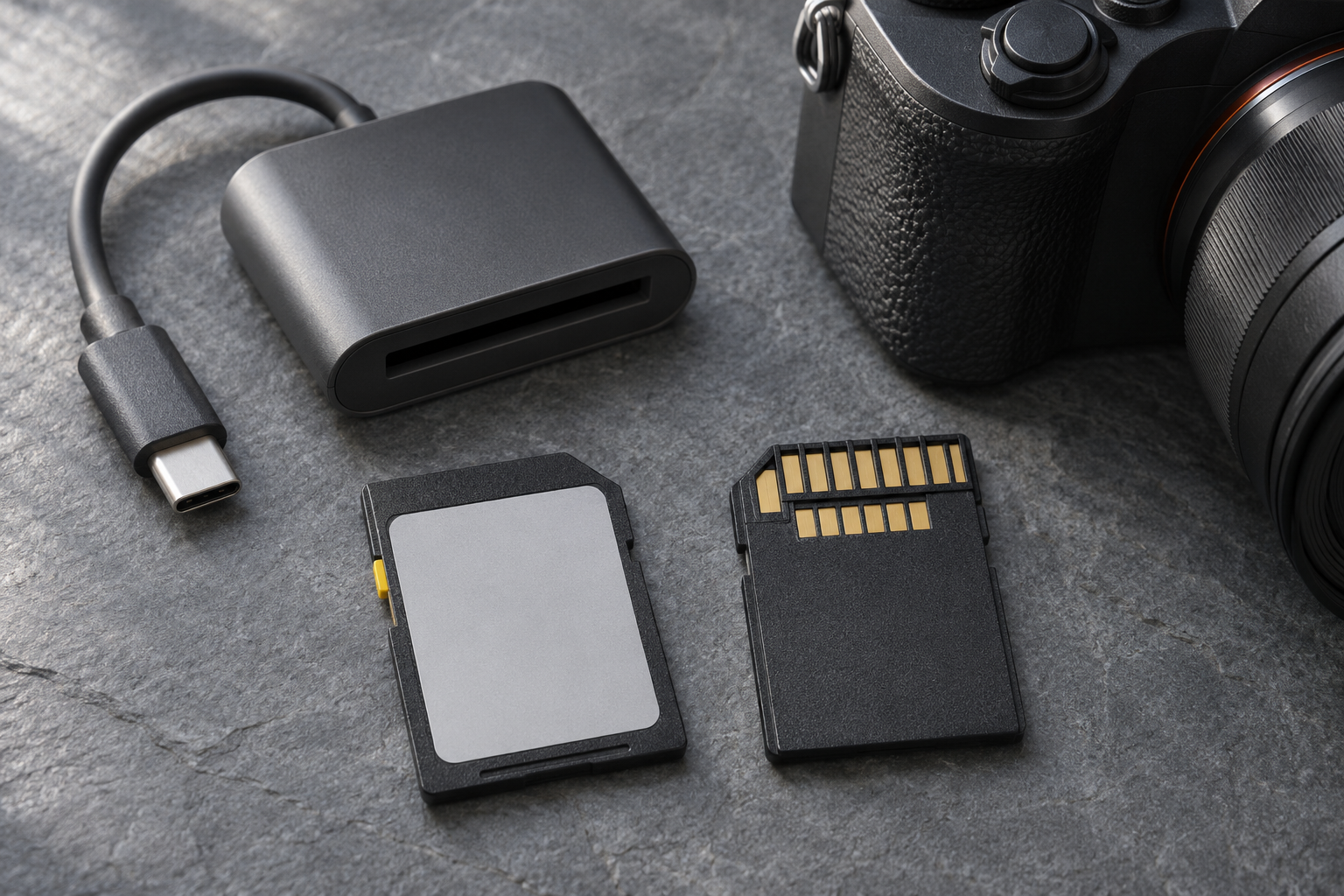
SanDisk Extreme PRO and Lexar Professional 2000x GOLD are plausible upgrades when a camera genuinely benefits from a UHS-II V90 SD card. The useful question is not which logo looks more professional. It is whether the exact card matches your camera’s approved media, recording mode, burst workload and transfer setup. Buying the fastest-looking label without checking those details can solve the wrong problem.
This comparison focuses on 128GB full-size SDXC cards: SanDisk’s current V90 version specified for up to 300MB/s reading and writing, and Lexar’s 2000x GOLD rated up to 300MB/s read and 260MB/s write. Those are manufacturer figures, not our measurements. Choose SanDisk when its current specifications and approved-camera fit address your workload; choose Lexar when that exact model is a supported fit for your established workflow. Skip both if your camera cannot use their extra capability.
SanDisk Extreme PRO 128GB SDXC UHS-II V90 — verify the current version
SanDisk’s current V90 data sheet lists up to 300MB/s read and write speeds, with 90MB/s minimum sustained video writing in V90-capable devices. Consider it for an approved UHS-II camera used for demanding recording or repeated bursts. Skip the upgrade if the camera manual specifies a different media format or your existing card already handles the required mode.
This Amazon search targets the 128GB full-size V90 UHS-II card and its 300MB/s write specification. Confirm the selected result carefully: the Extreme PRO name also appears on other card types and generations.
Check this model on Amazon: SanDisk Extreme PRO 128GB SDXC UHS-II V90 (paid link)
Lexar Professional 2000x GOLD 128GB SDXC UHS-II V90 — match the exact model
Lexar specifies up to 300MB/s reading, 260MB/s writing and V90 for this GOLD-series card. Choose it when your camera’s compatibility guidance and your reader support this model and format. Skip it if you expect its peak read number to guarantee a particular in-camera burst length or video mode.
The Amazon search targets a single 128GB 2000x GOLD full-size SDXC card. Distinguish it from other Lexar series, microSD products and multipacks before ordering.
Check this model on Amazon: Lexar Professional 2000x GOLD 128GB SDXC UHS-II V90 (paid link)
Start with your camera’s required media
Open the manual for the exact camera and firmware version, then locate the media requirements for your intended mode. A camera can have two slots with different capabilities. A slot that accepts an SD card physically may not provide the UHS-II interface, and a high-data-rate mode may require another format entirely. A V90 purchase should follow that check.
Write down the codec, frame rate, resolution and recording quality you plan to use. Read any restrictions for simultaneous recording or slow motion. Neither a card manufacturer’s broad video claim nor an attractive marketplace title establishes that your exact mode is supported. When the camera maker publishes an approved-card list, compare the precise model and capacity rather than only the brand.
Read speed, peak write speed and V90 answer different questions
Read speed matters when copying files from the card. Peak write speed describes an upper performance figure under the manufacturer’s test conditions. V90 addresses sustained video writing rather than promising that every write operation runs at the headline maximum. These distinctions explain why two cards with similar-looking numbers can still need separate compatibility checks.
Do not translate SanDisk’s higher specified peak write figure into a guaranteed advantage in your camera. The camera’s interface, processing and file pattern can limit the result. Conversely, do not treat Lexar’s 260MB/s peak write specification as its sustained minimum. This guide does not contain comparative buffer tests, recording endurance results or measured transfer times.
For bursts, buy around the interruption you experience
A faster suitable card is worth investigating when you repeatedly wait for the camera to finish writing a burst. First check whether the interruption comes from the buffer and card rather than focus settings, shutter behavior or another limit. Use the RAW, JPEG or combined file setting you normally shoot when assessing the problem.
Someone photographing an occasional landscape has a different need from someone making repeated long sequences. If the camera is ready again before the next photograph, another card may bring little practical benefit. For an upgrade, compare supported cards using the same camera settings and a repeatable subject. Keep the packaging until you have checked the workflow that motivated the purchase.
For video, recording reliability comes before headline speed
Choose an approved card for the required mode, format it using the camera’s instructions and make a representative test recording before an important session. Include the duration and settings you expect to use. A short clip can confirm basic operation without establishing that a longer session will work under every condition. Watch for camera warnings and follow its media guidance.
Neither card fixes overheating limits, battery runtime or recording restrictions inside the camera. Avoid treating an 8K or 4K phrase on a card page as a universal promise. If the required mode calls for CFexpress or a specifically listed card, buying a different V90 SD card is not a substitute for meeting that requirement.
Check the reader before paying for faster offloads
Both companies tie their highest transfer performance to suitable UHS-II reader hardware. Check the reader’s actual SD interface, the computer port and the destination drive. A USB-C connector alone does not identify the SD bus capability inside a reader. Our USB-C card-reader guide covers that separate buying decision.
If copying is already quick enough for your routine, reader performance may be a secondary consideration. If you return with large batches and wait to begin editing, evaluate the whole transfer chain. Do not assume the card’s printed maximum will be the sustained copy rate shown by your computer, especially when many small files or a slower destination are involved.
Capacity and card handling still matter
The 128GB comparison keeps capacity consistent, but it does not establish how many photographs or minutes your settings will store. Use your own typical file sizes and camera estimates. Plan when you can offload, verify and back up material. One larger card and several smaller cards create different handling choices; neither arrangement removes the need for backups.
Keep clean cards in a protective holder and avoid touching contacts or forcing a card into a slot. Our memory-card contact care guide explains the handling side. Stop using a damaged card, and copy important material promptly. A durability claim or warranty should never be treated as insurance that images cannot be lost.
Which card should you buy?
Choose the current SanDisk V90 model if its documented specifications, camera approval and reader requirements fit the job you need done. Choose the Lexar 2000x GOLD when that exact model and capacity fit your camera and existing transfer workflow. If both qualify, seller confidence and return terms are useful tie-breakers; the published maximums alone do not establish a tested winner.
The buttons open precise Amazon searches rather than verified individual listings. Match capacity, full-size SDXC format, UHS-II, V90, model generation and package count in the selected result. Check who sells the card and the applicable return terms. Skip the purchase when the listing is ambiguous, or when you cannot identify a real limitation in the card you already own.