
Reviewed and updated: October 28, 2026
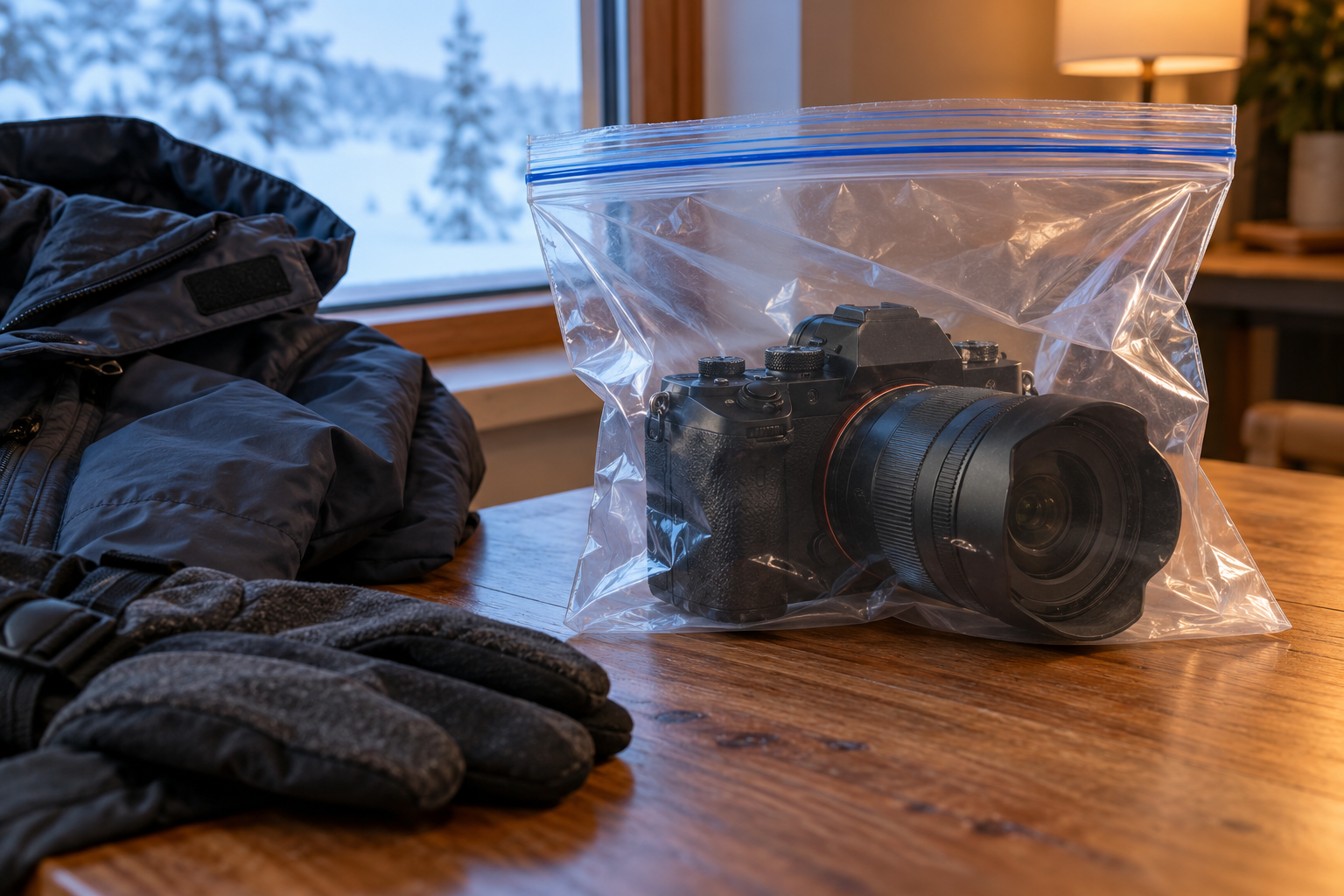
Condensation forms when cold equipment meets warmer humid air. A slow, sealed acclimation routine protects cameras and lenses better than wiping moisture after it has already reached exterior and interior surfaces.
This guide was reviewed against current official product information where a model is discussed. Specifications and packages can change, so verify the exact label or manufacturer page before acting.
Understand when condensation forms
The most common risk is bringing a cold camera from winter air or an air-conditioned room into a warmer humid environment. Moisture can form on glass, metal, electronics, and internal surfaces as the equipment crosses the dew point. The camera may look dry at first while an internal element fogs minutes later. Plan the transition before leaving the cold location. Weather sealing helps with external moisture but does not make a camera immune to condensation, and removing a lens during the transition can expose the mirror box or sensor chamber at the worst moment.
Seal the camera before entering warmth
Place the powered-off camera and attached lens in a clean resealable plastic bag while still in the cold environment. Expel only enough air to close it without pressing controls, then move indoors. Moisture should form on the outside of the bag rather than the equipment. A padded camera bag slows the temperature change but is not automatically vapor-tight. Keep spare bags in the kit and choose a size that does not force the lens or viewfinder against the plastic. Do not wrap visibly wet equipment and assume the bag will dry it.
Allow enough acclimation time
Leave the sealed equipment undisturbed until it approaches indoor temperature. The time depends on camera mass, lens size, temperature difference, humidity, and insulation; a large telephoto lens can take much longer than a compact body. Feel the exterior of the bag and compare it with nearby room-temperature objects rather than using a fixed universal timer. Do not turn the camera on to see whether it is ready. Electronics and motors are better left off until the temperature has equalized and no moisture is visible.
Keep lenses attached during the transition
Changing lenses while equipment is cold exposes interior surfaces to warm humid air. Choose the lens before leaving the cold location and keep body and rear caps clean and ready. If a lens change is unavoidable for safety or transport, do it in the drier environment before the temperature transition, not halfway through acclimation. Avoid zooming or focusing an extending lens while condensation is present because moving barrels can draw humid air and particles inward. A fogged filter can be removed later, after the sealed warm-up is complete.
Manage batteries and memory cards
Cold reduces apparent battery performance, and moisture on contacts can create additional problems. Keep spare batteries in a protected inner pocket without loose metal objects, using the terminal cover or case. Do not charge a battery that is cold, damp, swollen, damaged, or outside the maker’s permitted temperature range. If images are urgently needed, use a separate room-temperature card reader rather than opening a cold camera. Back up files after the equipment is fully acclimated and dry, and inspect the card door seal before the next outdoor session.
Respond when condensation is already visible
Power the camera off, remove it from direct heat, and stop operating controls. Do not use a hair dryer, radiator, oven, compressed air, or aggressive wiping. If moisture is only on the exterior, blot gently with a clean lint-free cloth and let the equipment acclimate in a dry ventilated area as the manual permits. Do not detach a fogged lens simply to inspect the sensor. Persistent internal fog, water ingress, error messages, unusual odor, or moisture beneath a display calls for manufacturer-authorized or qualified service.
Plan repeated indoor-outdoor moves
For sports, wildlife, and event work, use one body for outdoors and another for indoors when practical. A sheltered vehicle or cool entry space can create an intermediate temperature step, but never leave valuable equipment where theft, heat, or freezing is a risk. Keep the camera in its sealed bag when briefly returning indoors, and avoid opening the bag for a single shot. Record the conditions that caused a problem so the next assignment includes enough acclimation time, spare bags, and a realistic lens plan.
Dry and store after the session
Once the equipment is at room temperature and visibly dry, inspect lens surfaces, mount, doors, straps, and bag padding. Let a damp bag dry separately before returning the camera. Recharge batteries only under approved conditions and replace saturated desiccant according to its instructions; packets are not a substitute for acclimation. Store the camera in a moderate dry environment rather than a sealed hot car, basement, or bathroom. If fungus, haze, corrosion, or recurring electronic faults appear, stop home experimentation and arrange qualified inspection.
Quick checklist
- Seal cold gear before entering humid warmth.
- Keep the camera off while it acclimates.
- Leave the lens attached during the transition.
- Never force-dry with direct heat.
- Charge batteries only when dry and within temperature limits.
- Seek service for persistent internal moisture or faults.
Why these checkpoints matter
- Seal cold gear before entering humid warmth. This defines the starting condition and prevents the rest of the process from resting on an assumption.
- Keep the camera off while it acclimates. This narrows the choice to evidence you can verify on the exact label, model, or scene.
- Leave the lens attached during the transition. This checkpoint reduces avoidable risk before another variable is introduced.
- Never force-dry with direct heat. This keeps the routine compatible with the person, product, material, or equipment involved.
- Charge batteries only when dry and within temperature limits. This creates a repeatable step instead of relying on memory or marketing language.
- Seek service for persistent internal moisture or faults. This final review catches changes in condition, availability, or instructions before the next use.
Common questions
How long should a camera stay in the bag?
Until the equipment approaches room temperature and no moisture is visible; the required time varies with size and conditions.
Does weather sealing prevent condensation?
No. It can help with external exposure, but temperature and humidity changes can still create condensation.
Should I add silica gel to the bag?
Only use maintained desiccant as directed; it does not replace slow sealed acclimation and can shed dust if damaged.
Keep the decision useful
Write down the exact model, label, starting condition, and result. Change one variable at a time and return to the official instructions when anything is unclear. A short record makes the next decision easier and keeps an isolated result from becoming a rule that does not fit a different product, person, material, or environment.
Review the information again before repeating the process. Stop when comfort, safety, condition, or the manufacturer’s instructions provide a reason to stop. A useful routine stays simple because every step answers a real question.